One-time purchase. Direct download for Mac after checkout. Paid with Stripe. Already paid here? Restore the download.
01
Knock, or click
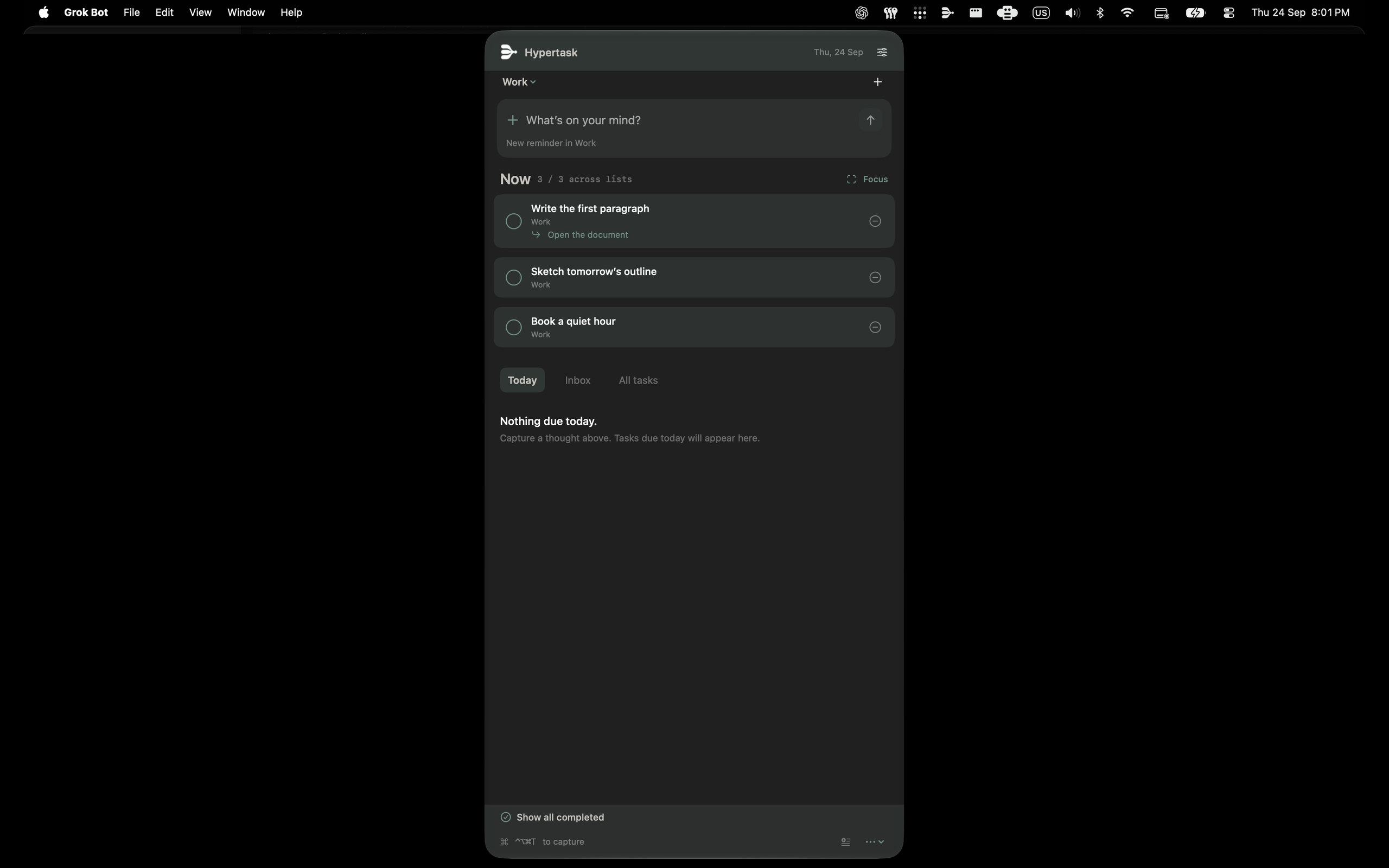
Knock on the body of the Mac to bring the menu up. Two knocks is the default. That is this direct download — the App Store edition cannot include it. You can also open from the menu bar extra or your keyboard shortcut, then add a reminder.
02
Choose three
Keep up to three tasks in Now. Inbox holds the undated ones. Today brings due tasks and your Now picks together.
03
Start small
Focus on one task. Write its smallest next step, keep it in view, and leave the rest in Apple Reminders until they are due.
Your existing lists. A little less friction.
Hypertask works directly with Apple Reminders. Choose a list when you capture, create or rename lists, move tasks, and edit dates or notes in place.
Complete a task here and it is completed in Reminders. Deleting a task removes it there too, after you confirm.
No Hypertask account. No task analytics. Apple handles sync. Your Now choices and small next steps stay on this Mac.
What you buy here.
This page sells the direct Mac download for US$4.99, with a license key after Stripe checkout. Knock-to-open — knock on the laptop body to bring the menu up — is in this edition, on supported Mac laptops. Connect your local AI app from Hypertask Settings, including Codex, Claude Desktop and Code, Cursor, VS Code, Gemini CLI, and OpenCode. The first open may ask for Open Anyway in System Settings; that is Gatekeeper, not a failed purchase.
The Mac App Store edition is live at the same price. Knock-to-open is only in the direct download. AI connection depends on the installed version; check Settings → Connect your AI tools. Pick Store or this direct download. Do not pay twice unless you want both.
Requires macOS 14 or later, and permission to use Apple Reminders.
US$4.99 once.
Checkout is Stripe. After you pay, you get a license key and a Mac download on the next page. A receipt comes from Stripe.